Explore with context
Search public skills, narrow results by owner or agent, and inspect a skill’s content before making a choice.
THE TERMINAL COMPANION FOR gh skill
Version 1.1.1 · What’s new and how to upgrade
Find the right agent skill, read it before you install it, and keep your collection in shape. All without leaving the terminal.
gh extension install harder/gh-skillview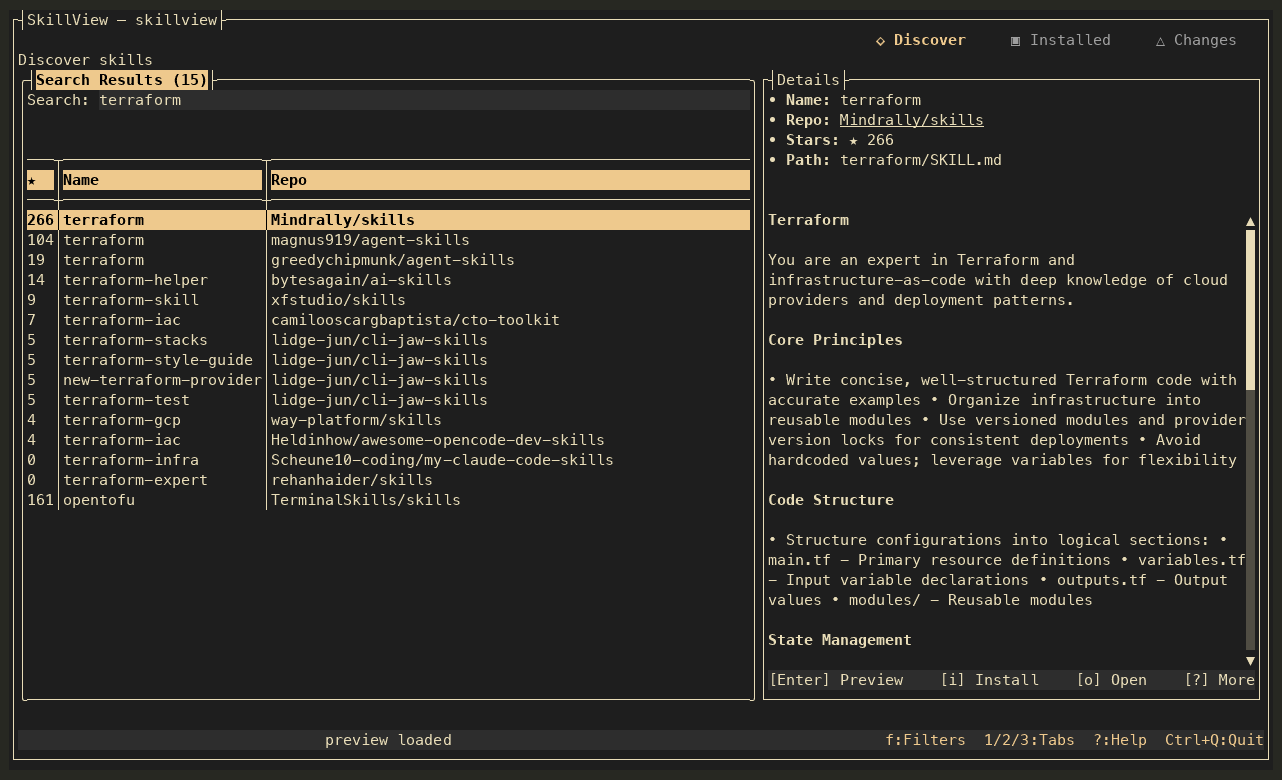
Agent skills are easy to collect and harder to keep track of. SkillView puts discovery, context, and maintenance together in one keyboard-first workspace.
Use the full-screen interface when you want to explore. Reach for the CLI when you want to automate.
Search public skills, narrow results by owner or agent, and inspect a skill’s content before making a choice.
Choose where a skill goes and which agents use it. Review the plan before SkillView hands it to gh skill.
Find physical copies across workspaces and profiles. Diagnose Problems in Issues, check package references, compare copies, and review exact updates, restoration or removal.
One place to move from “what is this?” to “yes, I want it”—and keep tabs on it later.
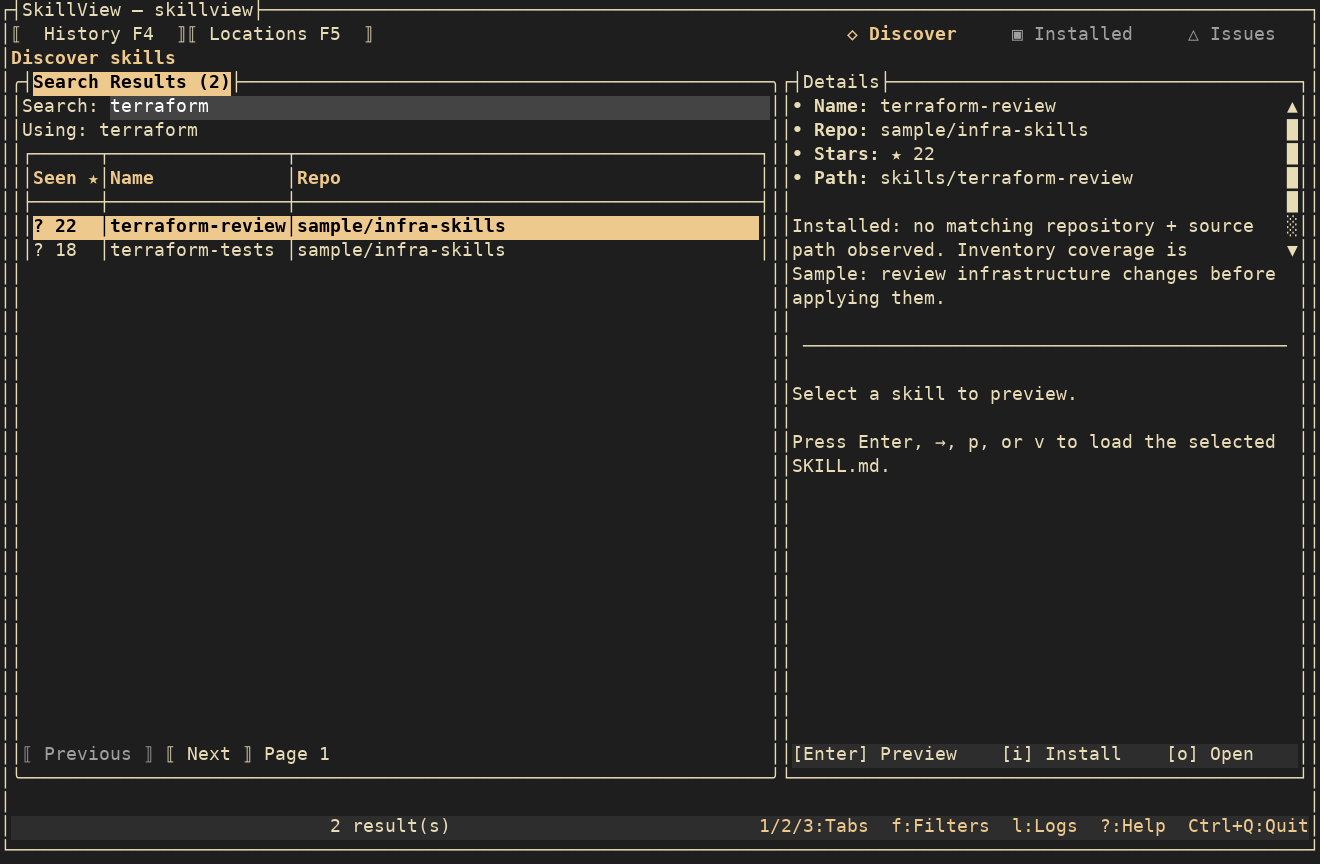
These captures show the current source build’s simpler browse layout and warm terminal colors, using isolated sample skills and search responses. Explore discovery, diagnosis and every supported repair route. Screens show inspection and review paths; the released download may differ until the next update. Media provenance.
Browse agent homes, shared copies and projects. Add workspaces, exact folders or named profiles in Locations, then filter physical copies without losing their recorded consumers.
Find skills →Issues separates Problems from Review. Check missing resources and metadata, compare copies, inspect coverage and owner conflicts, or run Doctor for environment diagnostics.
Diagnose a finding →Review updates, recorded restoration, local reimport/source switch or unpin. Remove eligible residue, move an independent copy aside, or inspect retained originals for fresh Undo and recovery.
See all supported repair paths →The TUI gives you room to explore and review. The CLI gives scripts the same essential workflows with JSON output and useful exit codes.
Explore CLI commands# Check your setup
$ skillview doctor --json
# Find and inspect skills
$ skillview search terraform
# Inventory and maintenance
$ skillview list --json
$ skillview update --dry-runSkillView needs GitHub CLI 2.102.0 or newer. Sign in with gh auth login to search and install skills.
gh extension install harder/gh-skillviewgh skillviewOn Apple Silicon macOS or Linux x64? Install with Homebrew . Prefer a direct download? Get the latest release .