SKILLVIEW / FIELD GUIDE
Make yourself
at home.
From your first search to a clean inventory, here’s what you need to get moving.
Install SkillView
You need GitHub CLI version 2.97.0 or newer. For search and installation, authenticate with gh auth login.
Recommended: GitHub CLI extension
gh extension install harder/gh-skillview
gh skillview
Update it later with gh extension upgrade harder/gh-skillview.
Standalone app
Download a self-contained binary from the latest release and put it on your PATH. No separate .NET runtime is needed.
| Platform | Release asset |
|---|---|
| Windows x64 | skillview-windows-amd64.exe |
| Windows ARM64 | skillview-windows-arm64.exe |
| Linux x64 | skillview-linux-amd64 |
| macOS ARM64 | skillview-darwin-arm64 |
On macOS and Linux, make the downloaded file executable with chmod +x <downloaded-file>.
Your first five minutes
- Launch the app with
gh skillvieworskillview. - Search for a topic or skill and browse the Discover results.
- Select a result to read its
SKILL.mdbefore installing. - Press i to review a standard install, or I for more options.
- Open Installed with 2 to see your local skills.
Find your way around
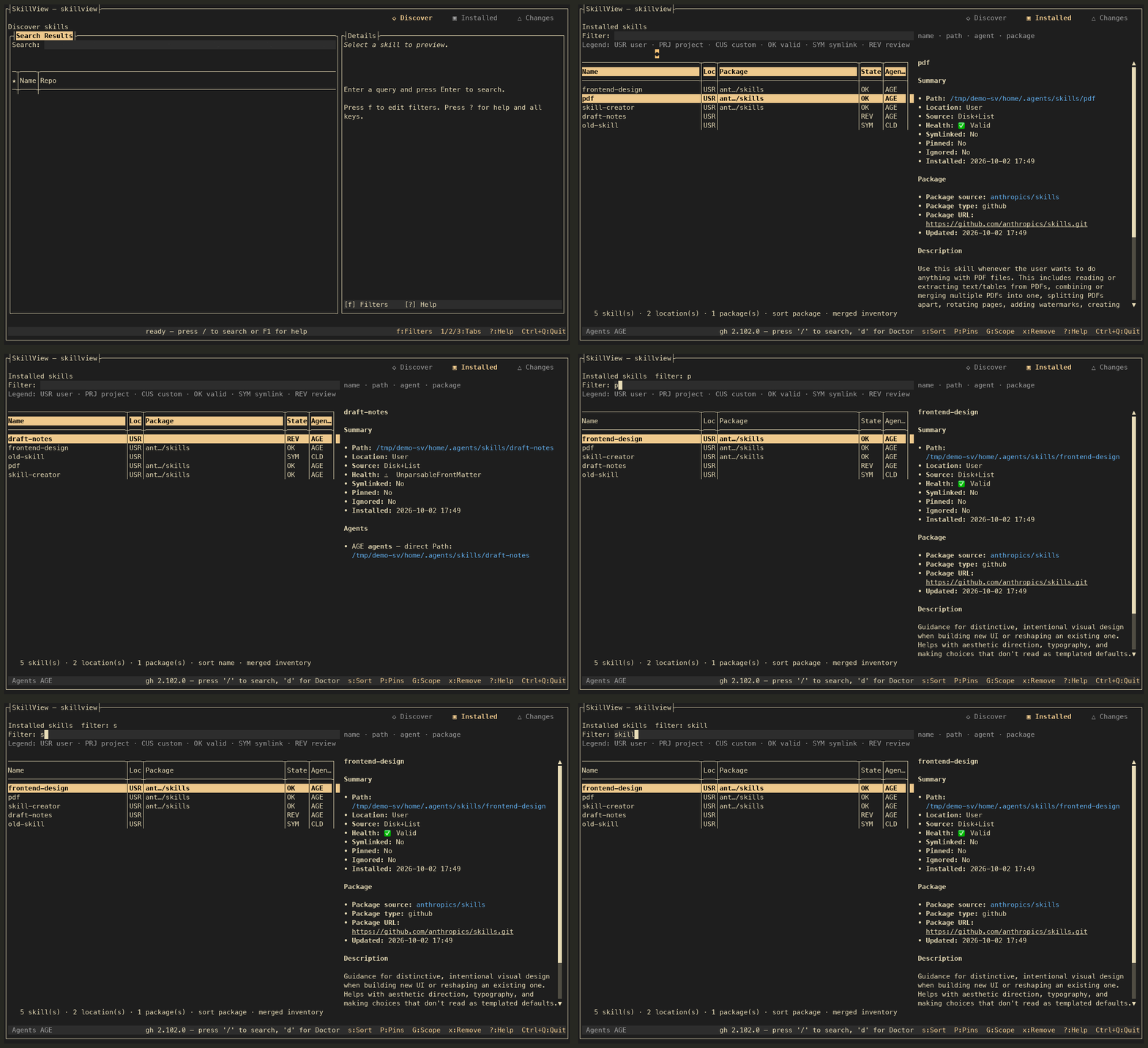
SkillView has three main tabs: Discover for finding and previewing skills, Installed for your local inventory, and Changes for maintenance tasks. Doctor and Cleanup are available on demand.
Selection updates the details pane, so you can inspect what you are about to install or remove. Removal and cleanup flows present a review step before changing files.
Tip: press ? or F1 in the app for the complete shortcut guide.
Essential shortcuts
| Keys | Action |
|---|---|
| 1 / 2 / 3 | Discover / Installed / Changes |
| / | Focus search |
| i / I | Standard / advanced install |
| x | Review removal of selected skill |
| c / d | Cleanup / Doctor |
| ? / F1 | Full help |
| Ctrl+Q | Quit from anywhere |
Work from the command line
Add a subcommand to run SkillView without the full-screen interface. Use gh skillview in place of skillview when installed as an extension.
skillview doctor
skillview search terraform
skillview preview OWNER/REPO SKILL
skillview install OWNER/REPO SKILL
skillview list --json
skillview update --dry-run
skillview cleanup
Commands that support --json can feed scripts and AI agents. Run skillview --help for flags and options. Put global flags such as --scan-root before the subcommand:
skillview --scan-root /path/to/skills list --jsonWhen something feels off
Run skillview doctor to inspect your GitHub CLI path, version, authentication, detected agent homes, and log location. In the TUI, press d.
For a bug report, include skillview --version, your OS and terminal, the command or flow you used, and whether gh auth status succeeds. Run with --debug if you need a more detailed log.
Go deeper
The repository’s complete usage guide covers every shortcut, CLI flags, exit codes, configuration, and troubleshooting. For development setup and tests, see CONTRIBUTING.md.
SkillView is open source under the MIT License. Browse the source on GitHub or visit Kevin Harder and Harder Labs.